The Pixee plugin for Claude Code, Codex, and Copilot


First in a series on the Pixee plugin for coding agents. This post covers what the plugin is and which agents it works with. The second post covers the first specific way we use it ourselves.
If you ever experience tedium while configuring Pixee (e.g. connecting repositories, setting up workflows, setting coding guidelines), then know that you can quickly automate any of these tasks using Pixee's new coding agent integration. Pixee now ships as an installable plugin for coding agents. Install it, and Claude Code, Codex, or GitHub Copilot can drive the Pixee CLI directly, scoped to your own permissions. Everything you'd normally reach through the Pixee UI is now something you can just ask your agent for, in plain language.
What that looks like
The plugin is a set of skills that teach your agent the Pixee CLI. You don't learn the CLI's syntax, you just say what you want, the same way you'd ask your agent to run a migration or check a log:
• "Connect this repo to Pixee and import our coding guidelines."
• "Kick off an analysis on this branch and show me anything with high fix confidence."
• "Tighten our SSRF allowlist preference before next week's audit."
Underneath, the agent is running the right pixee commands. The scope matches the UI: connect repos, import coding guidelines, set org preferences, kick off analyses, filter findings by verdict, fix confidence, or SCA exploitability, configure workflows. All of it scoped to whatever permissions the developer already has in Pixee.
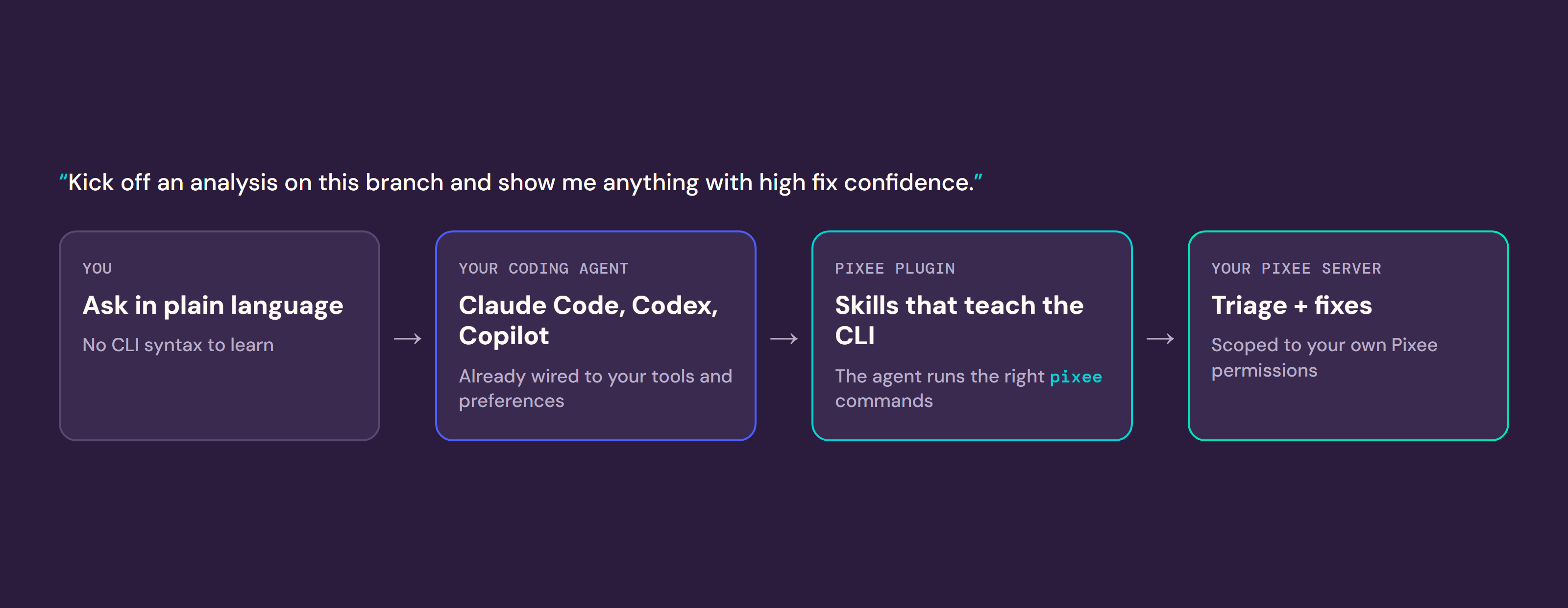
Onboarding friction was the first thing we automated here, not the last. Teams kept telling us that they want to benefit from Pixee without leaving the tools and applications they're already using to go check the Pixee UI. These days, we all spend a lot of time with our coding agents. The Pixee agent plugin is what you need to use all of Pixee from your coding agent.
Why a plugin, and not a new chat interface?
We have long wanted to give users a way to interact with Pixee using natural language. Often, we see products introduce a "chat" feature into their UI that provides this capability. But there's a reason that we all prefer to use our coding agent interfaces instead of switching between application-specific chat interfaces in our browser tabs: agents are most powerful when you connect them to all the systems that you use and let the model determine the sequence of tool calls necessary to complete your work.
If you're already doing agentic coding, you've already connected your coding agent to the tools and services you use, modeled your workflows as skills, and taught the agent your preferences. The Pixee agent plugin adds Pixee tools to your existing agent, instead of asking you to configure a bespoke Pixee chat agent interface. Asking a security tool like Pixee to relearn all of your connections and preferences separately means duplicate setup that never quite matches the agentic coding set-up you prefer to use. So we didn't ask it to. Pixee supplies the security judgment, your agent supplies your process.
Which agents work today
We support Claude Code, Codex, Copilot CLI, VS Code, and Cursor.
Agent Plugins started as a Claude-only idea. The agent-plugins spec made them portable, and GitHub shipped 1.0 support in August. We built toward that spec before GitHub's announcement landed.
Installing it
The plugin lives at pixee/pixee-cli on GitHub: an agent-plugins 1.0 manifest plus a Claude plugin marketplace manifest. Install commands per agent are in the README.
For the CLI itself, brew install pixee/tap/pixee, grab a release binary, or run it in a container. If it isn't already on your PATH, your agent can install it for you. Then pixee auth login --server <your Pixee server>: device flow, short-lived tokens that refresh themselves.
Of course, you'll need a Pixee Enterprise server. Self-hosted and air-gapped deployments both work, and the plugin adds no new Pixee cloud dependency. Your agent's own hosting is whatever you already use.
What's next
This is the first of a few posts on what the plugin unlocks. In the next post, we'll describe the use case we built first for ourselves: folding Pixee's fixes directly into our agentic coding workflow, so Pixee's triage and fix becomes an always-on part of our agent's workflow (no distinct Pixee PRs to manage on top of the PRs our agents open).
If you're already a customer, install the plugin yourself and point it at your server. If you're not, ask for a walkthrough of agent-integrated triage and remediation.