Pixee for DAST

Your DAST scanner finds it.
Pixee finds the code and fixes it.

DAST proves a running app is exploitable. It rarely hands engineering an actionable code path. Pixee resolves each finding to the responsible code, adjudicates it against your threat model, and ships the fix, on the same engine as your SAST and SCA.

Works with the DAST results you already have.

The problem

A DAST finding is a scavenger hunt, not a ticket.

A DAST finding isn't a repository or a line number. It's an attacked surface. A SQL injection alert on GET /products/search is the start of a scavenger hunt. Before you can adjudicate it, let alone fix it, you have to answer the question the scanner never does: where in the world is this code?

So findings pile up in tickets. The work of finding the code, convincing engineering it's real, and shepherding the fix through review lands on AppSec, every time, for every finding.

How it works

From a flagged URL to the pull request that fixes it.

Every finding

Locate. Adjudicate. Fix.

The same three steps, every finding.

Step 0 · the hard part

Locate

Pixee reads the dynamic evidence, explores your source the way an engineer would, and resolves the finding to the code path that produced it, or failed to prevent it.

Step 1

Adjudicate

The same triage and threat-model context Pixee already runs for SAST and SCA: is it real, is it exploitable, does it matter to your program.

Step 2

Fix

The same remediation engine. The same pull requests, reviewed and merged the way your team already works.

One engine that compounds

Same engine. Same memory.
A new kind of input.

Same triage, threat-model context, memory, and workflow as your SAST and SCA, now fed by a class of tools that never spoke in file-and-line.

DAST feeds the same context graph that already holds your architecture, your conventions, your past fixes, and your threat model. The more Pixee resolves in your codebase, the sharper its triage and fixes get. So DAST doesn't just add a source, it compounds what Pixee already knows about your code.

See it end to end

A real worked example.

One finding, from the ZAP alert to the pull request that closes it.
The actual Pixee product, start to finish.

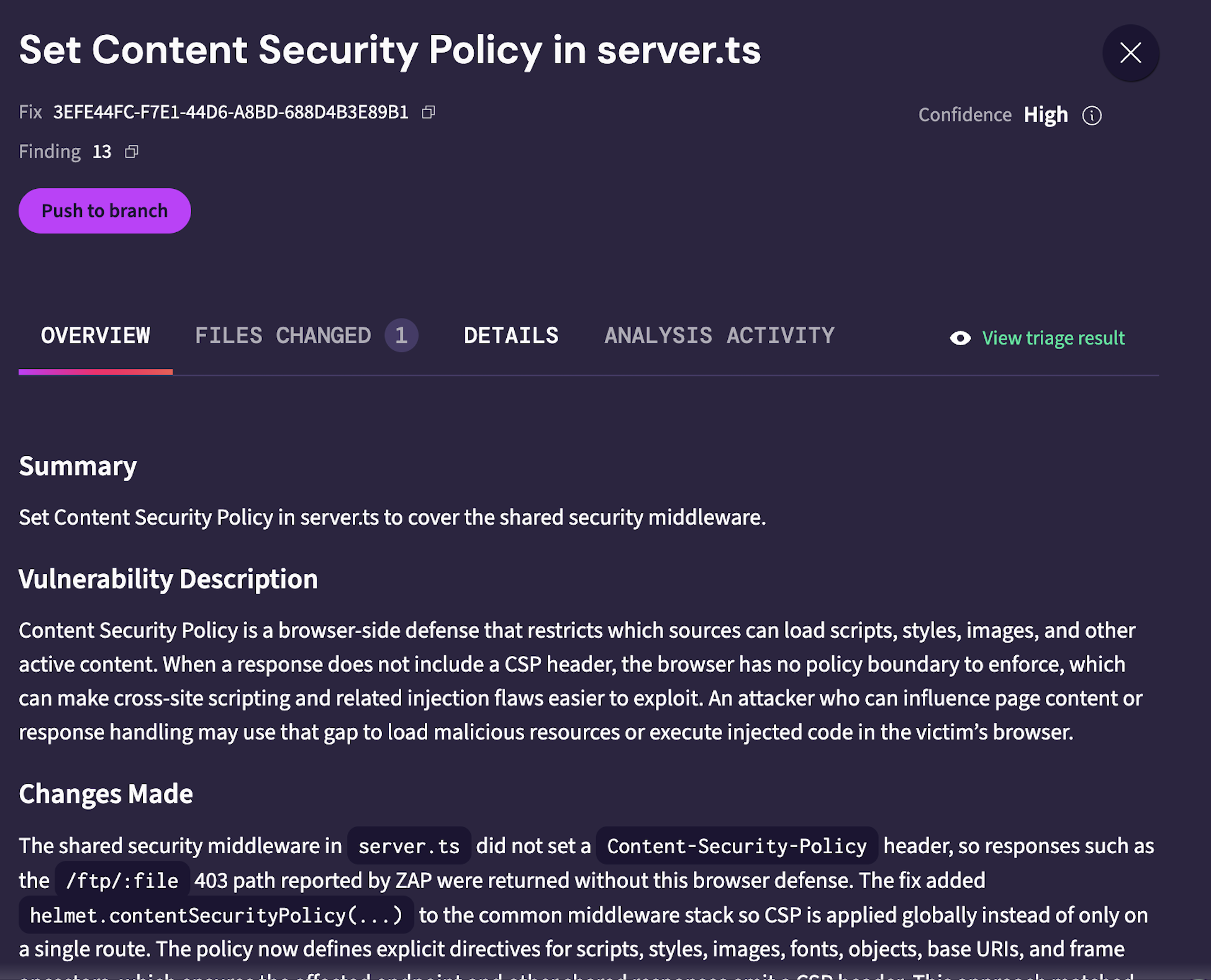
01  Triage

reported by ZAP Confidence: High
Pixee triage result for a ZAP-reported finding, Set Content Security Policy in server.ts, adjudicated with high confidence.
A ZAP-reported finding, adjudicated with high confidence.

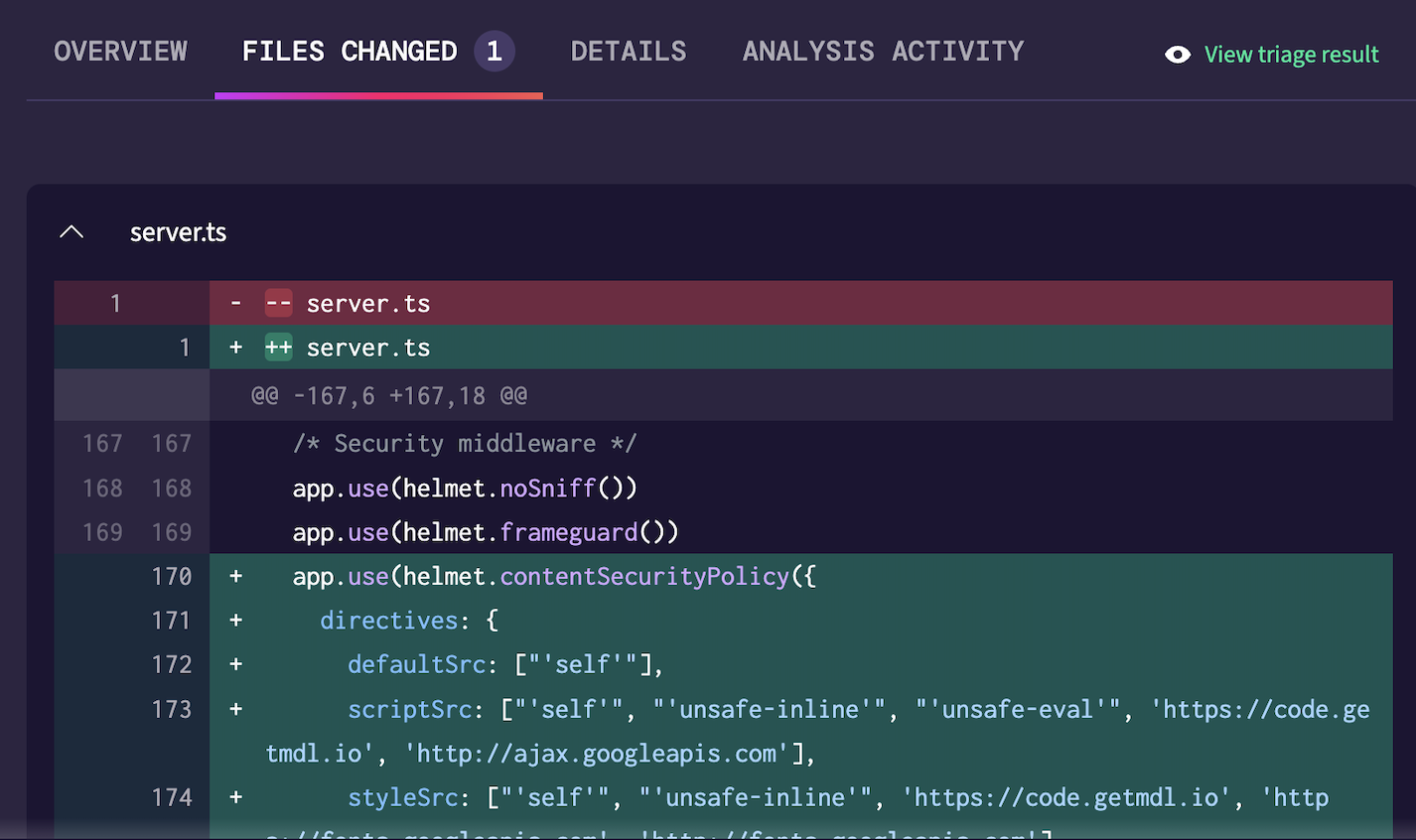
02  Fix

Files changed · server.ts Push to branch
The diff Pixee opened as a pull request: adds helmet.contentSecurityPolicy(...) to the shared middleware in server.ts.
The pull request it opens: a real diff, ready to push.

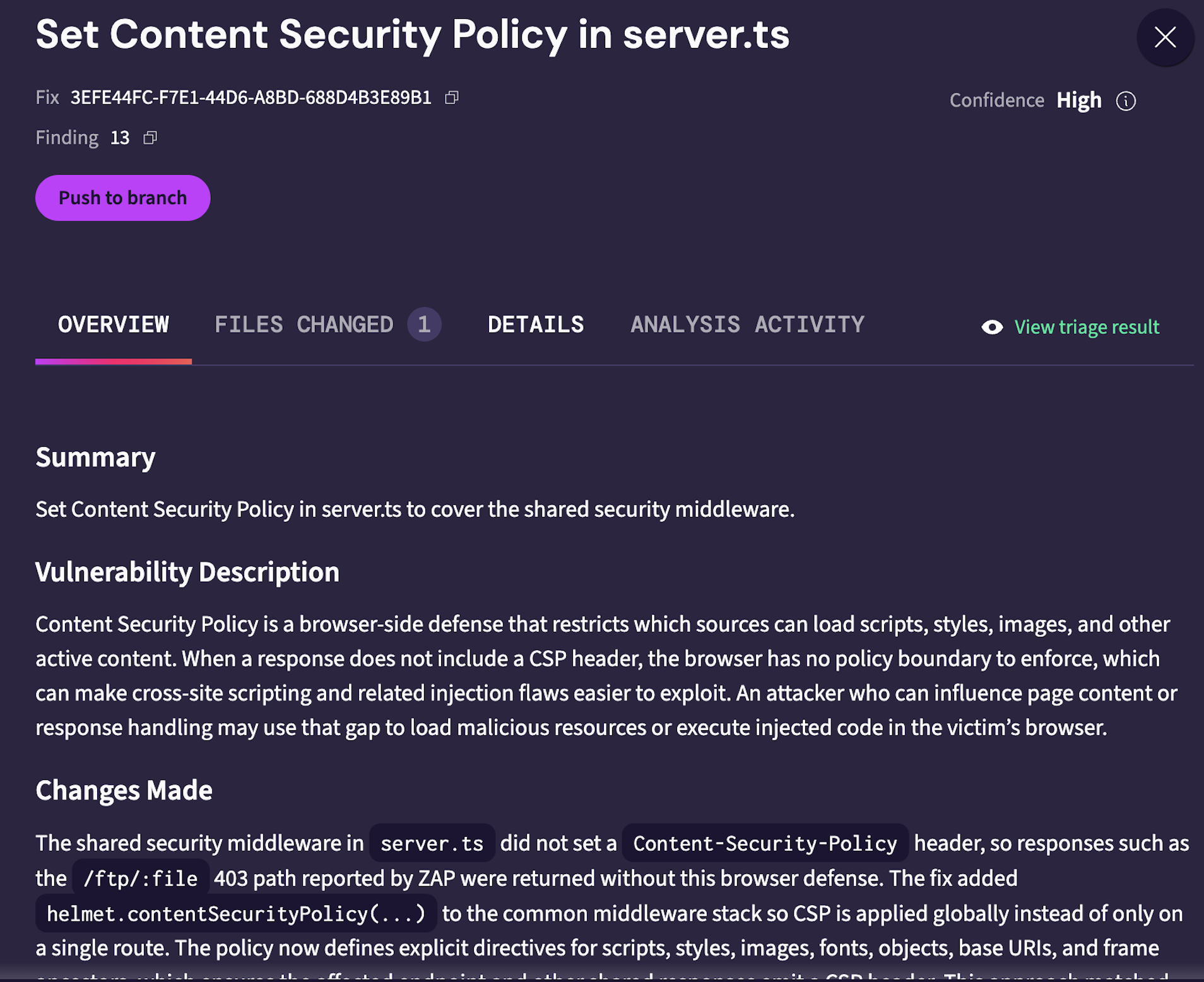
03  Fix explanation

Fix explanation · server.ts Changes made
Pixee's explanation of the fix: it resolves the ZAP alert to the shared security middleware in server.ts and describes the change it made.
What Pixee changed in server.ts, and why.

Want to see it on a finding your own scanner flagged? Talk to us.

Bring your DAST tool.
Pixee takes it from finding to fix.

Keep scanning with whatever you already run. Pixee ingests and digests the results, triages the noise, and ships the fix, the same way it already does for SAST and SCA.

Running DAST and buried in results you can't act on?

Let's talk.