Fold Pixee's fixes into the PR your agent already has open


Second in a series on the Pixee plugin for coding agents. The first post covers what the plugin is and which agents it works with. This one is the first specific way we use it ourselves.
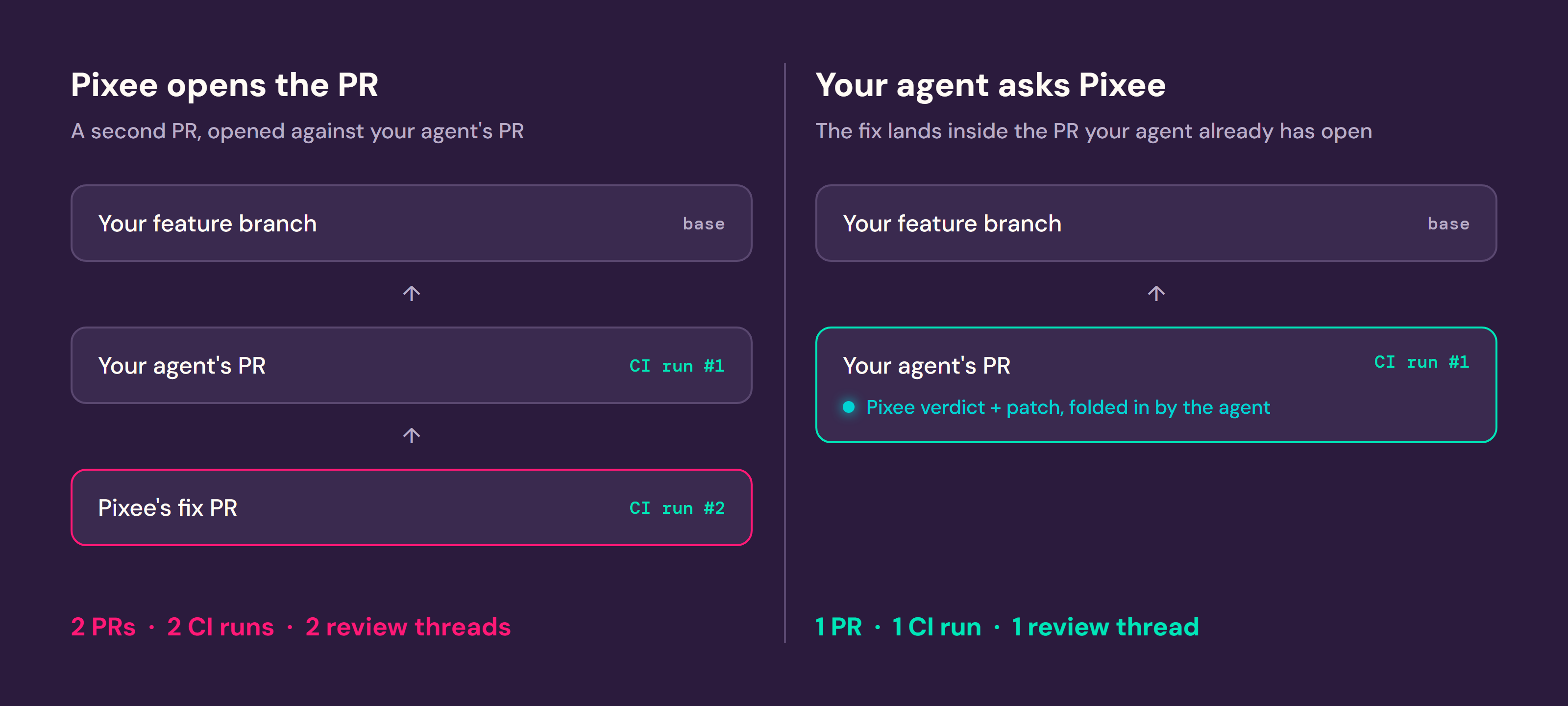
If you're evaluating Pixee, or you already run it, you're familiar with its triage and fix workflows: Pixee analyzes your scanner findings and opens its own PR with the fix. Its PR is a branch that targets the developer's feature branch where the fix needs to be made before it merges. For teams without an agentic coding workflow, that's the right call. Pixee shows up, fixes the real findings, and a human merges.
But if your team already ships code through a coding agent (Claude Code, Codex, Copilot, Cursor) that's managing your feature branch, then Pixee opening a second PR against your PR means reviewing two PRs and running CI twice for what could have been one change. You've already decided to use Pixee for triage and remediation. The plugin doesn't change that decision. It changes who does the work of getting the fix into your branch.
Instead of Pixee opening a fix PR from outside, your agent asks Pixee directly and folds the fix into the PR it's already managing. One PR, one CI run. The agent can do this because it already has something Pixee's own PR doesn't: your build, your test conventions, your coverage gate. Pixee's job is still to be right about the security judgment. Your agent's job is to make the change pass everything else, the same way it does for every other change.
How this changed our own workflow
We felt the two-PR problem before we built the fix for it.
Our agents already open PRs against our own repos. Before the plugin, a Sonar check failing on one of those PRs meant Pixee stepped in and opened its own fix PR, a branch against the agent's branch. That gave a developer two PRs to track for one piece of work: the one their agent had already been iterating on through review comments, and a new one from Pixee that started review from zero. Two CI runs. Two sets of comments to reconcile. If the agent's PR picked up another commit, the Pixee PR could drift out of date against it.
Now our PR skill tells our agents: pass CI, and if the Sonar check fails, consult Pixee for help remediating the findings in Sonar's report. That's not a paraphrase; it's close to the actual instruction:
Fix using Pixee's patch and rationale as primary context.
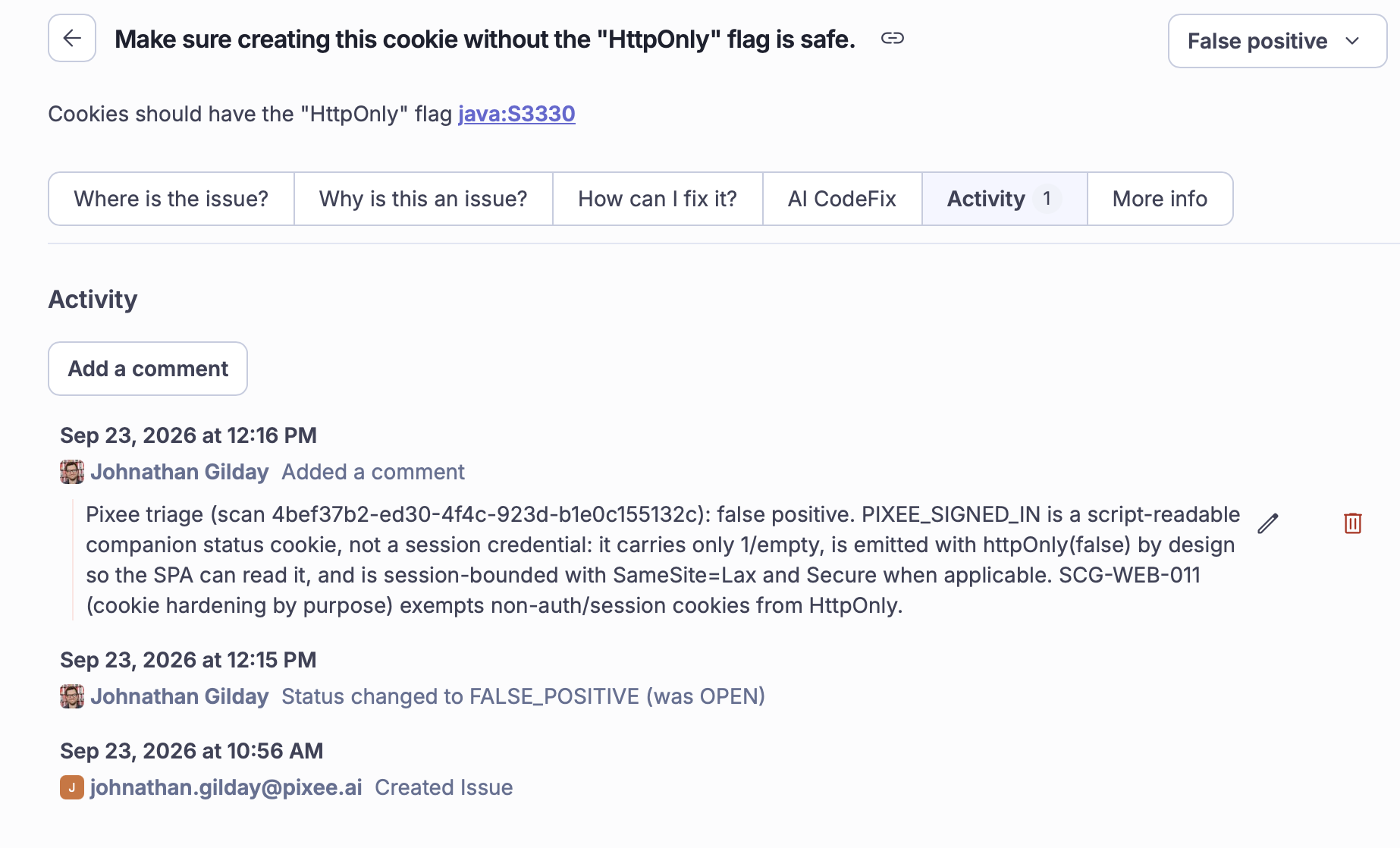
The agent asks Pixee for its verdict on each such finding. If it's a false positive, our agent marks the finding as such citing Pixee's justification. If it's a true positive, our agent asks Pixee for the patch and applies it to the branch it's already working on. Sometimes Pixee comes back inconclusive, and our agent leaves that one for a human. One PR, start to finish, same Pixee analysis, same visibility in the Pixee UI, just no second branch for anyone to track. We spend less attention on security fixes now, because they show up already folded into the change by the time a human reviews it, instead of arriving as a separate thing to review.
None of this changes who signs off. Same PR review, same merge permissions, same branch protection. The agent proposes. Your process still decides.
Which strategy should you use to merge Pixee fixes?
Each team can decide how they want to integrate Pixee fixes into their workflow: configure Pixee to open PRs, or fold Pixee analysis into their coding agent skills. Both are still Pixee. The difference is who turns the finding into a merged change.
Nothing to migrate between them. Start with Pixee opening PRs, add the plugin whenever your team's coding agent is managing your feature branches.
What's next
Right now, someone needs to prompt your agent to retrieve and apply a fix. We're working on handing a fix straight to a cloud agent from Pixee, so an unattended agent can pick it up without anyone at a keyboard. That's direction, not something shipped yet.
Getting it
If you've already installed the plugin from the first post in this series, you're set up for this. If not, that post has the install steps, the agent compatibility list, and how the plugin relates to the spec it's built on.
There's nothing to turn on. If your coding agent already manages your feature branches, install the plugin from the first post and this is just how Pixee behaves from there. If you're not yet a customer, ask for a walkthrough of folding Pixee's fixes into a PR your coding agent already manages.