Your AI Coding Assistant Has CI/CD Privileges and None of the Controls


CVE-2026-25253 scored an 8.8 CVSS. A malicious website could open a WebSocket connection to localhost, brute-force the gateway password at hundreds of attempts per second, and seize full control of every locally running agent: filesystem, credentials, execution context. OpenClaw patched it within 24 hours. But the design assumption underneath, that localhost traffic is inherently trusted, persists in nearly every AI coding assistant shipping today.
This post is adapted from our AppSec Weekly briefing on AI agent attack infrastructure.
How AI Coding Assistants Break the Localhost Trust Model
ClawJacked exposes broken trust assumptions. Malicious websites establish WebSocket connections to localhost, a channel browsers do not block the way they block cross-origin HTTP. From there, brute-force attacks pummel the gateway unchecked. The rate limiter that should stop this? It completely exempted loopback connections, treating localhost as safe by default.
This is a design philosophy problem, not an implementation bug. These tools assume anything running locally was authorized by the developer. Auto-approved device pairings from localhost require no user prompt, no additional authentication, no review. If code is running on your machine, the tool assumes you approved it.
What privileges do these tools actually have?
Filesystem: Read/write across your entire codebase, configuration files, environment variables, and credential stores.
Execution: Shell commands, package installs, system configuration changes.
Network: Outbound connections to APIs, repositories, and cloud services using your authenticated sessions.
Credential inheritance: SSH keys, API tokens, and cloud credentials via environment variables and config files.
CI/CD-level access, granted through a "download and run" process most developers complete without involving their security team.
From Theoretical to Operational: The Mexico Government Breach
The gap between vulnerability research and real-world exploitation closed faster than expected. Bloomberg's investigation revealed that an attacker used over 1,000 Spanish-language prompts to jailbreak Claude Code under the cover of a "bug bounty" project, then pivoted to ChatGPT for lateral movement once inside government networks.
Gambit Security's forensic analysis painted a worse picture: 150GB exfiltrated over one month starting December 2025, compromising SAT (the federal tax authority), INE (the electoral institute), and multiple state systems. Undetected for weeks.
What separates this from a traditional breach: the AI did not just assist the attacker. It was the operational team. Gambit Security described the AI "writing exploits, building tools, automating exfiltration." The attacker effectively had an autonomous red team working around the clock.
-
Analyzing network configurations and mapping lateral movement paths
-
Writing custom exploits tailored to discovered vulnerabilities
-
Building exfiltration tooling optimized for the target environment
-
Automating the full sequence from initial access to data extraction
Not theoretical. Already happened at national scale.
The Ecosystem-Wide AI Coding Tool Security Gap
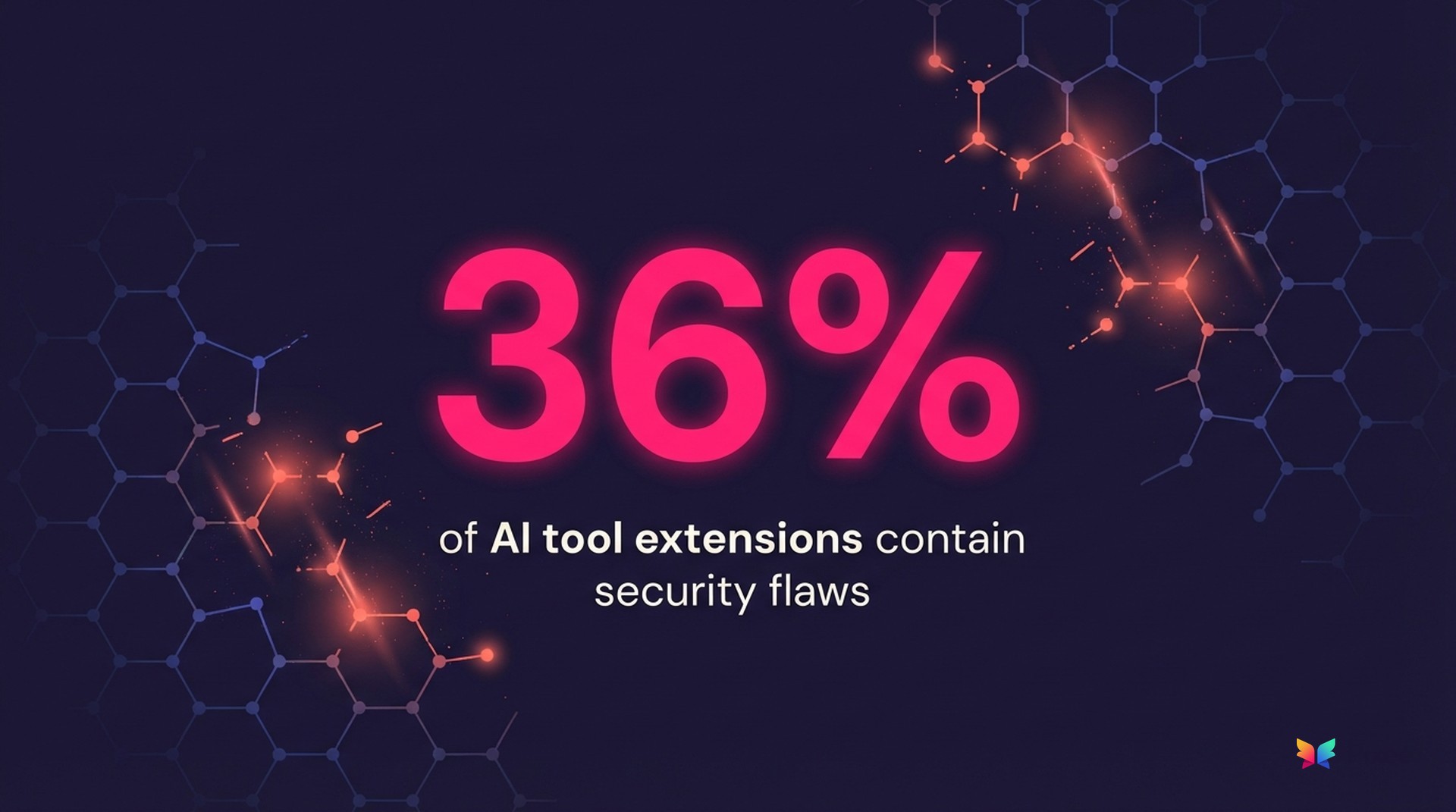
ClawJacked and the Mexico breach are not isolated. Research into the MS-Agent framework found input validation failures enabling arbitrary command execution through crafted prompts. A scan of over 6,500 ClawHub skills found 36% contain flaws: insufficient input validation, hardcoded credentials, overprivileged contexts. Not zero-days. Basic mistakes at mass scale. Just the week before, the SANDWORM_MODE npm worm hit 50,000 downloads while propagating through CI/CD pipelines and specifically targeting AI coding tool installations. And earlier in February, researchers found 12% of OpenClaw's marketplace was outright malware, with 40,000 instances exposed on the public internet.
The parallel with CI/CD is direct. Twenty years ago, build systems were afterthoughts. Developers checked in code, automated systems compiled and deployed it, and security teams focused on runtime while ignoring the build pipeline. Then SolarWinds proved that compromising the build process was more effective than attacking the final product.
We are replaying that pattern. Our CI/CD pipelines have secrets management, privilege separation, audit logging, and network segmentation. Our AI coding tools have equivalent access with none of those controls. This is precisely the agentic AI governance gap that security leaders have been warned about: 98% of enterprises deploy AI agents, but 79% lack the policies to govern them.
The 30-Minute AI Coding Assistant Security Audit
Here is a 30-minute AI assistant audit using your existing team and tools.
Step 1: Inventory installed AI assistants (5 minutes)
Pick three developer machines (senior, junior, contractor if applicable). On each, check running processes for known AI assistants (Copilot, Cursor, OpenClaw, Claude, Cody, Tabnine, Continue). Search application support directories and home folders for AI tool configuration files and hidden directories.
On macOS/Linux, use process listing, application support directory checks, and a recursive find for dotfiles. On Windows, use Get-Process with name filtering and Get-ChildItem for AppData and user profile directories.
Document every tool found, especially any your team did not formally approve.
Step 2: Map the privilege surface (10 minutes)
For each tool discovered, answer four questions:
Filesystem scope. Can it read/write outside the project directory? Check config files for workspace trust settings or allowed paths. Most default to full home directory access.
Credential exposure. Run env | grep -iE "token|key|secret|password|aws|azure|gcp" in the tool's terminal context. If those variables are visible to you, they are visible to the tool.
Execution context. Can it run shell commands? With what user privileges? Most execute as your user, inheriting every permission you have.
Network reach. Can it make outbound connections? To where? Check firewall logs or run lsof -i -P | grep -i <assistant_name> during an active session.
Step 3: Compare against your CI/CD runner (10 minutes)
Pull up your CI/CD runner configuration. Compare side by side across five control dimensions:
Filesystem scope. Your CI/CD runner is usually scoped to the project directory only. Your AI assistant? Check and document.
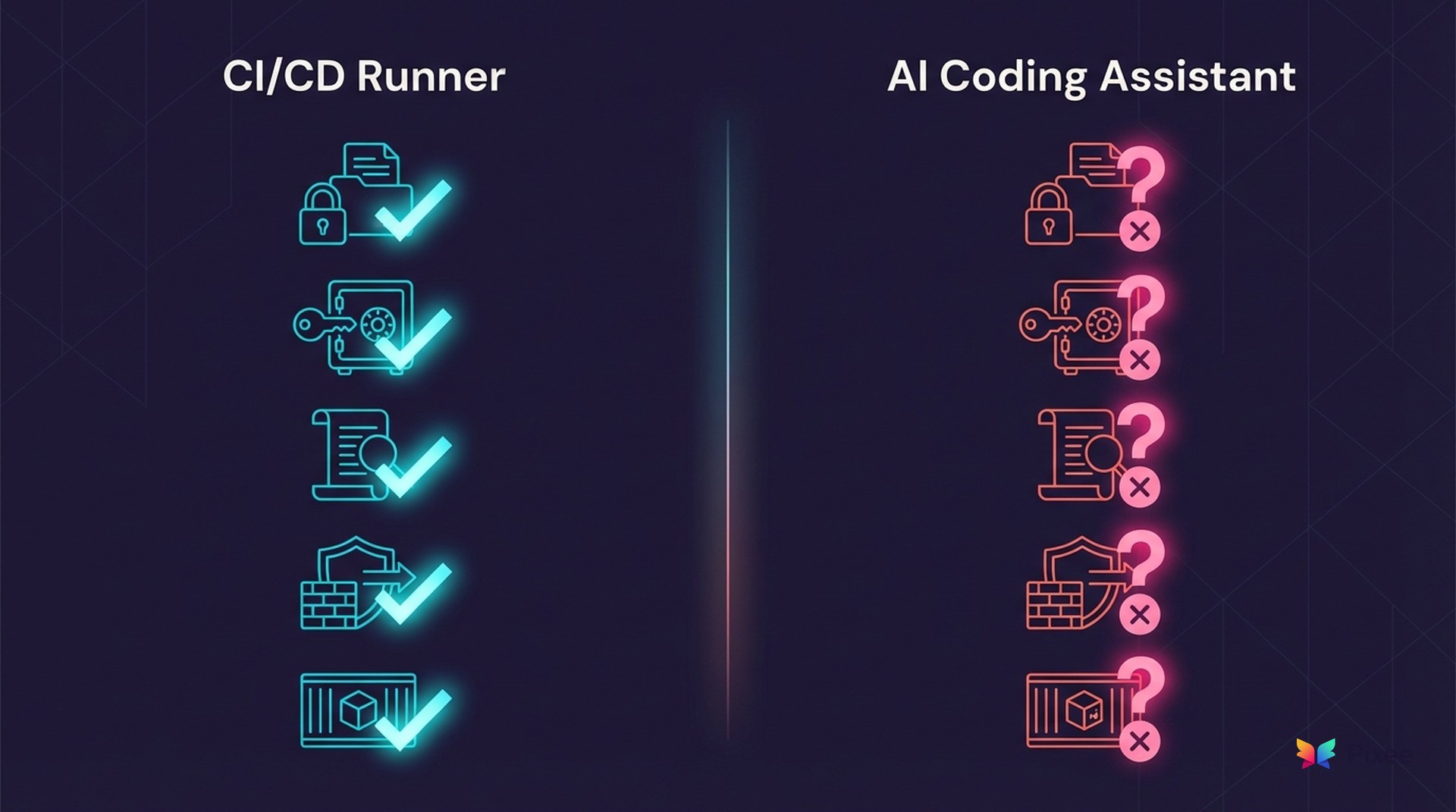
Credential access. Your CI/CD runner uses a secrets manager with scoped access. Your AI assistant? Check and document.
Audit logging. Your CI/CD runner has built-in logging. Your AI assistant? Check and document.
Network egress rules. Your CI/CD runner usually has restricted egress. Your AI assistant? Check and document.
Execution sandboxing. Your CI/CD runner runs in a container or VM. Your AI assistant? Check and document.
Any dimension where the AI tool has MORE access than your build agent is a finding.
Step 4: Check for audit logging (3 minutes)
For each tool, search your home directory for log files associated with Cursor, OpenClaw, and other AI assistants. Check whether those logs capture file access events and command execution, or only surface-level activity.
No logs, or logs that skip file access and command execution, means zero forensic capability when that tool is compromised. Note it.
Step 5: Write the one-pager (2 minutes)
Summarize findings in this format for your CISO:
Subject: AI Coding Assistant Privilege Audit -- We found [N] AI assistants across [N] developer machines. [N] were not formally approved. Compared to our CI/CD runners, these tools have [broader/equivalent/narrower] access to credentials, [broader/equivalent/narrower] filesystem scope, and [yes/no] audit logging. Recommended next step: [sandbox/restrict/policy review].
Monday morning deliverable, not a quarterly initiative.
What Comes Next for AI Developer Tool Security
OpenClaw shipped a fix in 24 hours. The underlying design assumptions remain unaddressed. Your developers are already using these tools whether you approved them or not. That means CI/CD-equivalent attack surface with no controls, no logging, and no inventory. And with research showing AI-generated code ships with 2.74x more security vulnerabilities than human-written code, the risk compounds: overprivileged tools generating vulnerable code at scale.
Start with the audit. Policy frameworks can follow.
For weekly coverage of AI security threats, supply chain attacks, and vulnerability management trends, follow our AppSec Weekly briefings.
Related Analysis
• OWASP Agentic AI Top 10 remediation — How OWASP agentic risks drive remediation requirements
• purpose-built fixes for the code AI assistants produce — Why generic AI can't fix AI-generated vulnerabilities
• why AI can't audit its own code — The self-audit problem in AI code generation
Related Reading
OWASP Agentic AI Top 10 remediation
why AI can't audit its own code
AI agent attack patterns we tracked
AppSec Weekly on Claude Sonnet risks
purpose-built fixes for the code AI assistants produce
Related Resources