Complete Guide

Automated Vulnerability
Remediation FAQs

Everything you need to know about fixing vulnerabilities at scale. 35+ expert answers covering the Resolution Platform, triage automation, and why 76% merge rates change everything.

40 min read
35+ Questions
Updated Jan 2025
76%
Merge Rate
80%
False Positive Reduction
6hrs → 5min
Per Fix
252 → 30
Days MTTR
Section 01

Understanding the Resolution Platform

The foundational concepts behind automated remediation and why it represents a new architectural paradigm in application security.

Quick Answer

Automated vulnerability remediation uses AI and contextual intelligence to generate security fixes that developers actually merge. IDC recognized "DevSecOps Automated Remediation" as an emerging category in 2024. Unlike scanners that find problems, automated remediation platforms fix them—reducing backlogs by 80% and saving 6 hours of developer time per fix with proven 76% merge rates.

Automated vulnerability remediation represents a fundamental shift in application security from "find and report" to "find and fix." While the industry has spent two decades perfecting vulnerability detection through SAST, DAST, and SCA tools, the actual fixing of vulnerabilities has remained entirely manual—until now.

The Emerging Category

In 2024, IDC formally recognized "DevSecOps Automated Remediation" as a distinct market category, validating what security teams have known for years: finding vulnerabilities is no longer the bottleneck—fixing them is.

As Roberto Armenteras, Head of AppSec at Citigroup, explains: "We found the vulnerabilities. We know where they are. We need help getting these fixed."

The technology combines deterministic code transformations with AI-powered contextual understanding. The result: a 76% merge rate compared to sub-20% for generic tools.

Key Considerations
  • Works with existing scanners—not a replacement but an enhancement
  • Reduces false positives by 80% through independent triage
  • Saves 6 hours of developer time per SQL injection fix
  • 91% reduction in AppSec team triage burden
Quick Answer

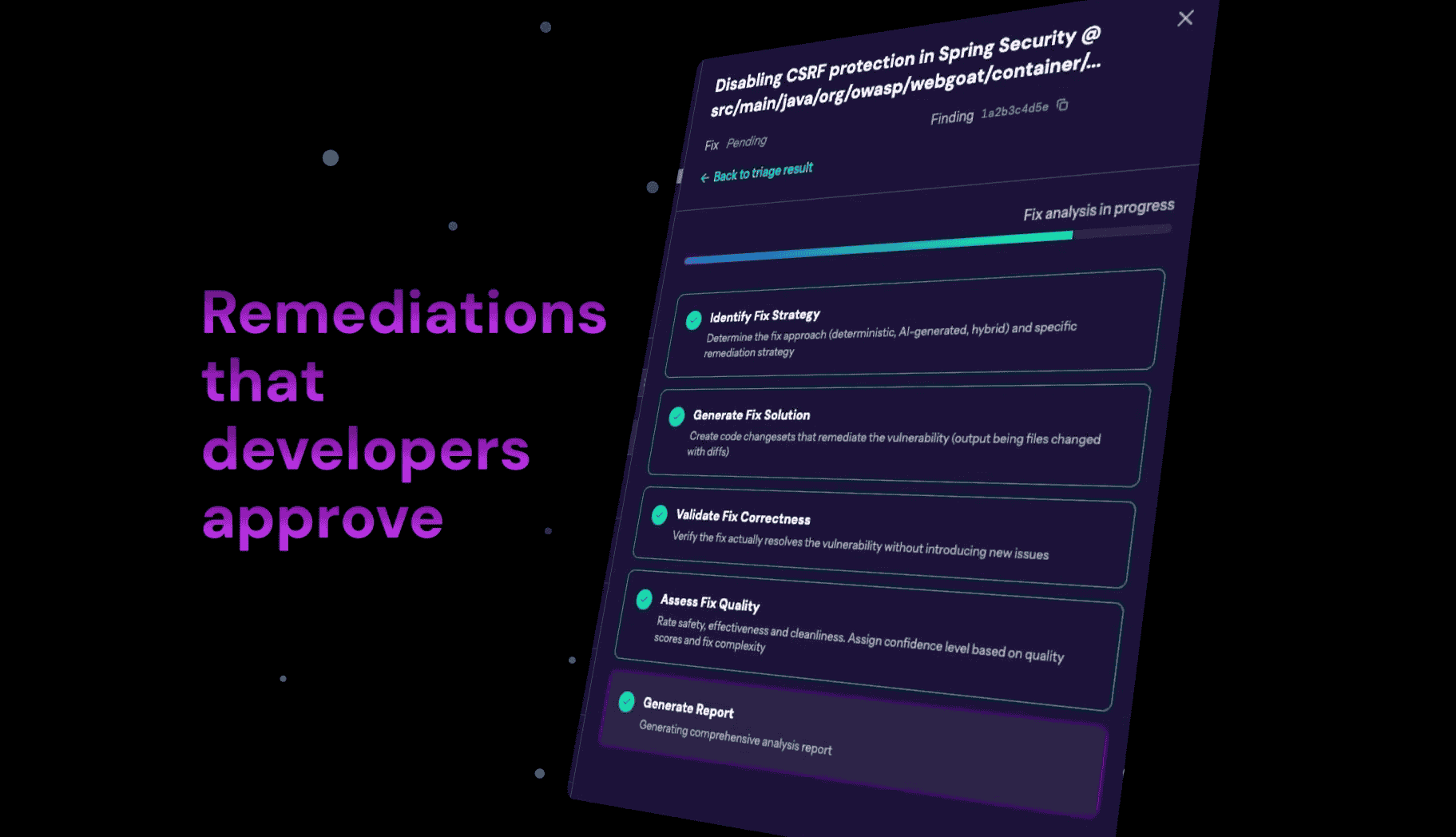
Every fix passes through three independent validation layers before reaching developers—most fixes are rejected before you ever see them. This multi-layer approach results in a 76% merge rate, proving developers trust the quality.

Three-Layer Quality Validation Framework

Layer 1: Constrained Generation — AI receives only security-relevant code context and established remediation patterns (OWASP, SANS). No experimental approaches—only proven security controls.

Layer 2: Fix Evaluation Agent — A separate AI inference call validates each generated fix against safety (no behavior changes except fixing the vulnerability), effectiveness (correctly addresses the security issue), and cleanliness (proper formatting matching your conventions).

Layer 3: Your Existing Controls — PR-only workflow, your code review processes, CI/CD test suites, SAST re-scanning, and full audit trail for compliance.

As one VP of Engineering noted: "After years of rejecting Dependabot and Renovate PRs, seeing a 76% acceptance rate feels like magic."

Key Considerations
  • Fixes failing ANY threshold are automatically rejected—never shown to developers
  • Developers become reviewers, not authors (5-minute review vs 6-hour implementation)
  • 98% time savings per accepted fix
Quick Answer

An Automated Remediation Platform transforms vulnerability findings into merge-ready code fixes developers trust (76% merge rate vs. <20% for competitors). Built on "Resolution Platform" architecture—the missing piece between detection and deployment.

As one CISO noted, "We have 5.3 scanning tools finding vulnerabilities, but zero tools fixing them."

The Four-Layer Security Stack

  1. Detection Layer (SAST/DAST/SCA): Identifies vulnerabilities
  2. Prioritization Layer (ASPM/Risk Scoring): Ranks by risk
  3. Resolution Platform (Automated Remediation): Generates trusted fixes
  4. Deployment Layer (CI/CD): Ships secure code

The Resolution Platform provides contextual understanding (knows YOUR validation libraries), independent triage (not incentivized to over-report), developer trust (76% merge rate), and scale (handles tens of thousands of repositories).

Key Considerations
  • Scanner-agnostic: Works with all 50+ security tools
  • Deployment flexible: Cloud SaaS or self-hosted/air-gapped
  • Reduces MTTR from 252 days to under 30 days
Quick Answer

ASPM platforms provide passive management—they prioritize and dashboard findings but don't fix code. Automated Remediation platforms provide active automation—they eliminate false positives (80% reduction) and generate merge-ready fixes (76% merge rate). Think "Active Fixing vs. Passive Management."

DimensionASPM (Passive)Automated Remediation (Active)
Primary FunctionPrioritize findingsFix vulnerabilities
Triage ApproachRanking & scoringReachability analysis (eliminates 80% FPs)
RemediationCreates tickets for developersGenerates automated PRs (76% merge)
OutcomeBetter prioritized backlogSmaller backlog

As Citigroup's Head of AppSec noted: "Your ASPM tool shows you 10,000 prioritized vulnerabilities. How are you actually fixing them?"

Key Considerations
  • ASPM + Automated Remediation = complete solution
  • ASPM without remediation = great visibility, same backlog
  • Most mature security programs deploy both
Quick Answer

Four forces make automated remediation critical: AI-generated code creating 70% more vulnerabilities, regulatory mandates with €15M fines, 252-day average fix times, and AppSec teams supporting 500+ developers with just 14 people.

The AI Code Explosion

Developers using AI assistants produce 70% more code, but 30% contains vulnerabilities. Vulnerability creation velocity has increased 2.1x overnight.

Regulatory Hammer Dropping

The EU Cyber Resilience Act introduces €15M fines for organizations that fail to remediate vulnerabilities promptly. The SEC's 4-day disclosure rule is impossible to meet with 252-day average MTTR.

The Scaling Crisis

  • AutoZone: 14 AppSec engineers for 500 developers
  • DBS Bank: 5,000+ developers, tens of thousands of repos
  • Grant Thornton: "Lone soldier" managing remediation for entire org

You cannot hire your way out. The only solution is automation.

Quick Answer

Pixee's 76% merge rate means developers accept 3 out of 4 fixes—compared to <20% for GitHub Copilot and Snyk Fix. This 4-8x quality gap determines whether you reduce backlogs or create more work.

ToolMerge RateImpact
GitHub Copilot Autofix<20%80% rejection rate
Snyk Fix10-20%Creates more work
Purpose-Built Platforms70-76%Actual backlog reduction

The Math

  • 20% merge rate = 80% of automation effort wasted on rejections
  • 50% merge rate = Break-even (automation value matches effort)
  • 70%+ merge rate = Compounding productivity gains

The difference between 20% and 76% merge rates isn't 3.8x better—it's the difference between backlog theater and actual remediation.

Ready to see 76% merge rates in your codebase?

Get a custom demo showing how Pixee handles your specific scanners, languages, and security patterns.

Schedule Demo
Section 02

How Automated Remediation Works

Technical deep dive for buyers evaluating feasibility and safety.

Quick Answer

Automated remediation ingests scanner findings, performs independent triage using exploitability analysis, generates contextually-aware fixes using your codebase patterns, validates fixes through compilation and testing, then creates pull requests developers review in 5 minutes instead of spending 6 hours coding.

The 5-Step Process

  1. Multi-Scanner Ingestion: Connect to Veracode, Fortify, Snyk, SonarQube via APIs or file uploads (SARIF, FPR formats)
  2. Independent Triage: Reduces false positives from 60-70% to under 10%—turning "2,000 low fidelity alerts into 50 high fidelity fixes" (Citigroup)
  3. Contextual Fix Generation: Learns YOUR codebase patterns—uses YOUR existing validation libraries, matches YOUR error handling conventions
  4. Validation: Compilation verification, unit test execution, security test validation, pattern matching against accepted fixes
  5. Developer-Ready PRs: 5-minute review vs. 6-hour authoring. Developers become reviewers, not authors.

As Citigroup's Roberto explains: "We're not giving them ideas. We're doing the work for them."

Key Considerations
  • Hybrid approach: Deterministic fixes for common patterns, AI for complex scenarios
  • BYOM support: Use your own Azure OpenAI or AWS Bedrock models
  • Self-hosted option: Code never leaves your environment
Quick Answer

With a 76% merge rate and multi-layer validation, automated fixes are safer than manual remediation. Unlike Veracode Fix that "broke applications" (GuidePoint Security), modern platforms use compilation checks, test execution, and contextual validation.

Contextual Intelligence vs. Generic Templates

Failed tools applied generic fixes without understanding context. Modern platforms learn your specific validation libraries, error handling patterns, architectural decisions, and framework-specific requirements.

Example: Instead of suggesting "use parameterized queries," the platform recognizes you use a custom SafeQueryBuilder class and generates fixes using YOUR existing patterns.

Multi-Layer Safety Validation

  1. Compilation Check: Does the code compile?
  2. Test Execution: Do existing tests pass?
  3. Security Validation: Does the fix resolve the vulnerability?
  4. Human Review: Developer reviews before merging (5-minute review)
Key Considerations
  • Start with low-risk repos to build confidence
  • Rollback is always possible—these are PRs, not auto-merges
  • Platform improves over time by learning from rejected fixes
Quick Answer

Independent triage reduces false positives by 80% through exploitability analysis, contextual understanding, and unbiased verification. Unlike scanners incentivized to over-report, remediation platforms only flag actually exploitable vulnerabilities—turning "2,000 low fidelity alerts into 50 high fidelity fixes."

False positives are killing application security. DBS Bank reports 60-70% false positive rates. Scotiabank sees 50-80%. As Charles Schwab's CISO noted: "Scanner vendors aren't incentivized to tell you half their findings are false positives."

How Independent Triage Works

  1. Exploitability Analysis: Traces actual code execution paths to determine if vulnerable code is reachable and exploitable
  2. Contextual Understanding: Knows your existing defensive layers, framework protections, custom validation libraries
  3. Exploit Verification: Verifies exploitability—can user input actually reach this code?
  4. Business Logic Awareness: Recognizes intentional design decisions vs. actual vulnerabilities
Key Considerations
  • 80% reduction in manual triage workload
  • 91% time savings for AppSec teams
  • Developers start trusting security findings again
Quick Answer

Yes—context engineering enables the platform to learn YOUR specific codebase patterns, internal libraries, and custom security utilities. Instead of importing new dependencies, fixes use your existing validation patterns, achieving the 76% merge rate.

What the Platform Learns

  • Your validation libraries: Uses existing InputValidator, SafeQueryBuilder, etc.
  • Error handling patterns: Matches your logging and exception conventions
  • Architectural decisions: Respects your service boundaries and patterns
  • Coding standards: Formatting, naming, style guides

Example: A SQL injection fix won't suggest generic PreparedStatement if you have a custom ORM layer—it'll use your existing data access patterns.

Section 03

Implementation & Adoption

Actionable guidance for deployment and organizational adoption.

Quick Answer

Follow the 4-step framework: (1) Stop the bleeding with PR hardening, (2) Triage to eliminate 60-70% false positives, (3) Run targeted fix campaigns, (4) Continuously improve. Result: 50% backlog reduction in 90 days.

Step 1: Stop the Bleeding (Weeks 1-2)

Implement PR/MR scanning to catch new vulnerabilities before merge. Block critical vulnerabilities in CI/CD pipeline. Result: 70% reduction in new vulnerabilities entering production.

Step 2: Intelligent Triage (Weeks 2-4)

Run exploitability analysis on your entire backlog. Identify false positives (60-70% typically). As Citigroup learned: "2,000 low fidelity things become 50 high fidelity fixes."

Step 3: Targeted Fix Campaigns (Weeks 4-12)

Start with quick wins (hardcoded secrets, SQL injections). Run campaigns by language/framework for efficiency. 76% merge rate means 3 of 4 fixes accepted immediately.

Step 4: Continuous Improvement (Ongoing)

Track backlog burndown velocity, monitor acceptance rates, adjust based on feedback.

Success Metrics
  • 50% backlog reduction in first 90 days
  • 80% reduction after 6 months
  • MTTR from 252 days to under 30 days
Quick Answer

Developer buy-in comes from proving value, not mandating adoption. Start with volunteers, show 5-minute reviews instead of 6-hour fixes, achieve 76% merge rates that prove quality, and position developers as expert reviewers rather than manual fix authors.

The Adoption Playbook

  1. Start with Volunteers: Find developer champions who are security-aware and frustrated by manual fix burden. Their success stories carry more weight than mandates.
  2. Prove Value with Metrics: 6 hours saved per SQL injection fix, 76% merge rate, 5-minute review time.
  3. Position as Productivity: "You want to build features, not fix vulnerabilities. This handles the mundane security work."
  4. Address Past Failures: Acknowledge the "poisoned well"—"We know Dependabot was a nightmare. This is different—here's the proof."

The "Reviewer Not Author" Paradigm

As Citigroup discovered: "We're not giving them ideas. We're doing the work for them. We're making them the reviewer, not the author."

Success Patterns
  • Week 1-2: Early adopters try the tool
  • Week 3-4: Word spreads about time savings
  • Week 5-8: Broader adoption as developers request access
  • Week 9-12: Becomes standard workflow
Quick Answer

Start small (2-3 repos), involve volunteer developers, measure merge rates and time savings, then expand based on proven results. Typical pilots run 4-6 weeks and prove value within the first 2 weeks.

Pilot Structure

  1. Week 1: Connect 2-3 repos with known vulnerabilities, configure scanner integrations
  2. Week 2: Generate first fixes, measure merge rates, gather developer feedback
  3. Week 3-4: Expand to more repos, refine patterns based on feedback
  4. Week 5-6: Document results, build business case for rollout

Success Criteria

  • 60%+ merge rate in pilot (improving to 70%+ as platform learns)
  • Developer satisfaction: "Would you recommend to other teams?"
  • Time savings documented: Before/after comparison
  • Backlog impact visible

Ready to start your pilot program?

See results within 2 weeks. No infrastructure required for cloud deployment.

Start Free Pilot
Section 04

Platform Capabilities

Technical requirements, integrations, and deployment options.

Quick Answer

Modern remediation platforms integrate with 50+ scanners including Veracode, Fortify, Checkmarx, Snyk, SonarQube, Semgrep, GitHub Advanced Security, GitLab, and more. Scanner-agnostic design means you enhance existing investments rather than replacing tools.

Common Enterprise Scanner Integrations

SAST: Veracode, Fortify, Checkmarx, SonarQube/SonarCloud, Coverity, CodeQL/GitHub Advanced Security

SCA: Snyk, WhiteSource/Mend, Black Duck, Dependabot/Renovate, Grype, Trivy

Specialized: Contrast Security (IAST), Semgrep, GitLab Security, Polaris, custom scanners via SARIF

Real Customer Stacks

  • AutoZone: Fortify + SonarQube + Grype
  • ICE: Snyk ("What Pixeebot provides is what we're missing")
  • MoneyGram: GitLab Ultimate + SonarQube
Key Considerations
  • No scanner replacement required
  • Handles conflicting findings from multiple scanners
  • Preserves scanner-specific metadata for audit trails
Quick Answer

Evaluate on five critical metrics: (1) Published merge rate (demand 70%+), (2) Customer proof (F500 references, G2 reviews), (3) Scanner-agnostic architecture, (4) Independent triage capability (80%+ FP reduction), (5) Enterprise deployment options (air-gapped, BYOM, self-hosted).

The 5 Non-Negotiable Criteria

  1. Published Merge Rate: The ONLY metric that proves developers trust fixes. 76%+ is best-in-class, <20% creates more work than saves.
  2. Customer Proof: Demand 3-5 reference customers you can call. Zero G2 reviews = unproven technology.
  3. Scanner-Agnostic: Works with your 5.3 scanners. Scanner-locked tools force vendor lock-in.
  4. Independent Triage: 80%+ false positive reduction through exploitability analysis, not just ranking.
  5. Enterprise Deployment: Air-gapped, self-hosted, BYOM options for regulated industries.

Fatal Mistakes to Avoid

  • Choosing vendor because you already use their scanner (low merge rates, lock-in)
  • Accepting "90% accuracy" claims (meaningless—demand merge rate)
  • Assuming free GitHub Copilot is good enough (<20% = 80% rejection)
Quick Answer

Yes—enterprise remediation platforms offer complete self-hosted deployment where code never leaves your environment. AutoZone, Standard Chartered, and DBS Bank all run on-premises with air-gapped options, BYOM (Bring Your Own Model) support, and pull-based architectures.

Deployment Options

  • Fully Air-Gapped: Complete isolation from internet, models deployed locally, updates via secure file transfer
  • BYOM (Bring Your Own Model): Use your Azure OpenAI instance or AWS Bedrock within your VPC
  • Hybrid: Code analysis on-premises, management console in cloud, encrypted metadata only
  • Container-Based: Everything containerized for Kubernetes, scales with your infrastructure

The Deployment Decision

Customer preferences split 50/50. Security-first orgs (Standard Chartered, DBS Bank) demand on-premises. DevOps-mature orgs prefer cloud SaaS for reduced operational overhead.

Key Considerations
  • No functionality compromise with on-premises
  • Same 76% merge rate regardless of deployment
  • Migration path exists: Start SaaS, move to self-hosted later
Section 05

ROI & Business Value

Metrics, measurement frameworks, and executive justification.

Quick Answer

Customers achieve 300-500% ROI through developer time savings (6 hours → 5 minutes per fix), AppSec efficiency (91% workload reduction), and risk reduction (MTTR from 252 → 30 days). For a 100-developer team, this translates to $2.6M annual productivity recovery.

Developer Productivity Recovery

Developers spend 19% of time on security tasks. For 100 developers at $150K/developer:

  • 19 FTE-equivalents on security
  • 91% reduction via automation = 17.3 FTEs recovered
  • Value: $2.595M annual

ROI Calculation Example (500-developer org)

Developer productivity$12.9M
AppSec efficiency$1.9M
Risk reduction$2.8M
Total annual value$17.6M
Typical platform cost$500K-$1M
ROI1,700-3,500%
Payback period3-6 months
Quick Answer

Track four key metrics: merge rate (target 70%+), backlog reduction (50% in 90 days), developer time saved (6 hours → 5 minutes per fix), and MTTR improvement (252 days → <30 days).

Primary Success Metrics

  1. Merge/Acceptance Rate: Target 70%+ (leaders achieve 76-90%). Proves developer trust and fix quality.
  2. Backlog Burndown: Target 50% reduction in 90 days. Track weekly trending of total open vulnerabilities.
  3. Time Savings: Developer time 6 hours → 5 minutes per fix (96% reduction). AppSec time: 91% triage workload reduction.
  4. MTTR: Target <30 days (from 252-day industry average). Critical for compliance (SEC 4-day rule, EU CRA).

Measurement Cadence

  • Daily: Merge rates, PR generation
  • Weekly: Backlog burndown, time savings
  • Monthly: MTTR, developer satisfaction
  • Quarterly: ROI analysis, program review
Section 06

Competitive & Market Questions

Comparisons, objection handling, and market positioning.

Quick Answer

GitHub Copilot achieves <20% merge rates with generic fixes, while purpose-built remediation platforms achieve 76% through security-specific expertise, independent triage, and contextual understanding. As Schwab's CISO noted: "Microsoft doesn't get there right away—it takes seven iterations."

Why the Massive Difference?

  1. Security Expertise: Copilot is trained on general code, not security remediation. Doesn't understand exploitability analysis or your defensive architecture.
  2. Independent Triage: Copilot relies on scanner findings at face value. Purpose-built platforms reduce false positives by 80%.
  3. Enterprise Ready: Scanner-agnostic (50+ tools vs. just GitHub Advanced Security), on-premises options, compliance-ready audit trails.

The "Seven Iterations" Problem

Can you wait 3-5 years for Microsoft to iterate while your backlog grows? With 252-day average MTTR and regulatory pressure mounting, most organizations can't afford that timeline.

Key Considerations
  • 76% vs. 20% merge rate compounds dramatically over months
  • Not either/or—some customers use both for different purposes
  • Purpose-built tools will also improve, maintaining advantage
Quick Answer

Scanners find vulnerabilities but don't fix them—that's where your real cost is. With developers spending 6 hours per fix and 252-day average MTTR, you're spending $2.6M annually per 100 developers on manual remediation. Automation delivers 300-500% ROI by fixing, not finding.

Where Your Money Actually Goes

Finding cost (scanners)$500K-$1M annually
Fixing cost (manual)$12.9M in developer time (500-dev org)
RatioFixing is 13-26x more expensive than finding

As Citigroup's CISO put it: "We found the vulnerabilities. We know where they are. We need help getting these fixed."

Why Scanners Can't Fix

  • Economic Misalignment: Scanners profit from finding MORE issues, not fixing them
  • Historical Failures: Veracode Fix "broke applications," Snyk PRs "crashed build servers"
  • Different Expertise: You wouldn't expect your compiler to be your text editor
Key Considerations
  • Your scanner investment is protected—remediation enhances it
  • Scanner-agnostic design means no vendor lock-in
  • Automation ROI pays back in 3-6 months
Quick Answer

Choose cloud SaaS with zero infrastructure management—just connect your repos and scanners. As Schwab's CISO said: "I do not want to do a lot of plumbing." Modern platforms offer both: full SaaS for zero ops overhead, or self-hosted for data sovereignty.

Cloud SaaS Benefits

  • Zero infrastructure: No servers, no updates, no management
  • Instant onboarding: Connect GitHub/GitLab/Bitbucket via OAuth in minutes
  • Automatic updates: New fix patterns, scanner integrations, features—all automatic
  • 99.9% uptime SLA with 24/7 support

The Decision Tree

Choose Cloud SaaS if: You want zero plumbing overhead, speed to value is priority, no regulatory barriers to cloud

Choose Self-Hosted if: Regulated industry mandates, "source code never leaves our network" policy, air-gapped requirements

Quick Answer

Past tools failed because they used generic templates without contextual understanding, broke builds, and achieved <10% merge rates. Modern remediation uses hybrid AI + deterministic fixes, understands YOUR codebase patterns, and achieves 76% merge rates. The "poisoned well" is real—this is how we're different.

The Hall of Shame (What Failed)

  • Veracode Fix: "Broke applications" (GuidePoint Security)
  • Snyk PRs: "Crashed our build servers" (ICE)
  • Dependabot: "A nightmare" with <10% merge rates
  • GitHub Copilot: <20% acceptance, general AI not security-specific

Why They Failed

  1. Generic Templates: Applied one-size-fits-all fixes without understanding YOUR code
  2. No Validation: Suggested changes that didn't compile or broke tests
  3. Volume Over Quality: Flooded teams with low-quality suggestions
  4. Economic Misalignment: Scanners trying to fix their own findings

How Modern Remediation Solved These

  • Contextual Learning: Uses YOUR validation libraries and patterns
  • Multi-Layer Validation: Compilation, tests, security checks before suggesting
  • Quality Over Quantity: 80% false positive reduction through independent triage
  • Purpose-Built: Aligned incentives (success = high merge rate)
Rebuilding Trust
  • Acknowledge past failures directly
  • Prove difference through measurement, not claims
  • Start small (2-3 repos) to rebuild trust gradually